Free Games
How to play this Jigsaw Puzzle
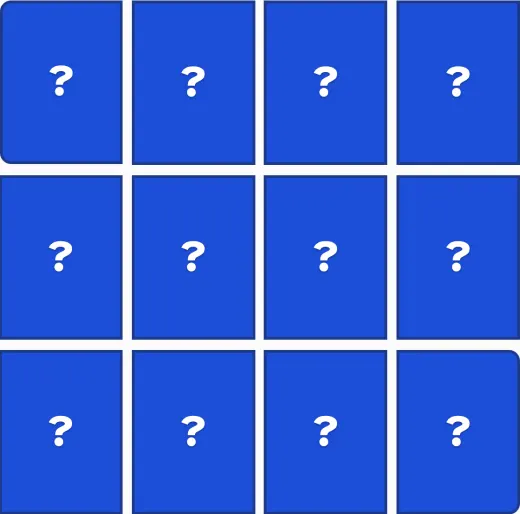
A photograph is cut into a grid of rectangles — 6, 12 or 20 of them, your choice. Every piece starts shuffled in the tray below the board; the board itself starts as a grid of empty squares. Click a piece in the tray to pick it up, then click the square where you think it belongs. That is the whole move: one click to pick up, one click to put down.
A piece can land in the wrong square, and that is completely normal — nothing scolds you for it. Click a piece already on the board to pick it back up and try it somewhere else. Changed your mind mid-pickup? Click the piece you are holding a second time, or press Escape, and it goes back to exactly where it was, free of charge. The puzzle is done once every piece sits in its own square.
No dragging, on a computer or a phone
Nothing here is dragged. Moving a puzzle piece across a screen by holding a button down the whole way is exactly the kind of movement that is hard with arthritis, a tremor or an unsteady hand — so this puzzle never asks for it. Every piece and every square is a plain button: tap it once to pick a piece up, tap again to put it down. It works the same way with a mouse, a trackpad or a finger on a touchscreen.
A real Hint button, and Undo that never runs out
Stuck on a piece? Press the amber Hint button. If you are already holding a piece, Hint highlights the square it belongs in and says so in plain words — "this piece belongs in row 2, column 3." Press Hint a second time and it puts the piece there for you. If your hands are empty, Hint chooses a piece itself and does the same thing. There is no limit on how many times you can ask, and Undo steps back through your moves for as long as you like.
Two photographs, three sizes, and the picture as a guide
Choose between two photographs using the buttons above the board, and a size — 6 pieces, 12 pieces or 20 pieces — using the buttons above those. Changing either one deals a fresh puzzle. "Show the picture" is on by default and keeps a small copy of the finished photo in view above the board, because piecing a photo together from memory alone is a much harder game; turn it off if you would rather test yourself.
Play with a keyboard, or make everything bigger
You do not need a mouse. Tab or the arrow keys move between pieces and squares, Enter or the space bar picks a piece up or sets it down, Escape puts a held piece back where it was, H asks for a hint and U undoes a move. Every piece announces which piece it is and exactly where it belongs in the picture, and every square announces its row and column, so the puzzle can be solved by listening as well as by looking. Use the A− and A+ buttons and the High contrast button, in the round control at the corner of the screen, to resize the page or sharpen it to black and white, the same as everywhere else on this site.
Frequently asked questions
- How do you play this Jigsaw Puzzle?
- Click a piece in the tray below the board to pick it up, then click the empty square where you want to put it down. Click a piece already on the board to pick it back up and try somewhere else. There is no third step and nothing to hold — just two clicks per move.
- Do I have to drag the pieces?
- No, and that is on purpose. Dragging asks for a steady hand the whole way across the screen, which is exactly the thing that is hard with arthritis or a tremor. Here you click once to pick a piece up and once to put it down. If you change your mind, click the piece you are holding again, or press Escape, and it goes back to exactly where it was.
- Does this work on a phone or a tablet?
- Yes. Every piece and every square is a plain button that responds to a tap, the same as a click. There is nothing to drag and nothing that needs a mouse — this puzzle was built to be played with a finger.
- What if a piece ends up in the wrong square?
- That is completely normal and never a mistake worth worrying about — a real jigsaw works the same way. Click the piece to pick it up again and try a different square. The puzzle is only finished once every piece sits in its own square.
- What if I get stuck?
- Press the big amber Hint button. If you are holding a piece, it highlights the square that piece belongs in and tells you in words — “this piece belongs in row 2, column 3.” Press Hint again and it puts the piece there for you. With nothing in hand, Hint picks a piece itself and does the same thing. There is no limit on how many times you can ask.
- Can I choose the picture, or how many pieces?
- Yes to both. Two photographs are here to choose between using the buttons above the board, and three sizes: 6 pieces, 12 pieces or 20 pieces. Changing either one starts a fresh puzzle at that size with that picture.
- Can I see the finished picture while I work?
- Yes — “Show the picture” is on by default and puts a small copy of the finished photo above the board, because working out where every piece goes from memory alone is a much harder game. Turn it off if you would rather work it out yourself.
- Is there a timer, a score, or a way to lose?
- No. There is never a clock and never a score to beat, and nothing is ever declared "game over." Take as long as you like, and the Undo button steps back through your moves as many times as you want.
- Can I play without a mouse?
- Yes. Tab or the arrow keys move between the pieces and the squares, Enter or the space bar picks a piece up or puts it down, Escape puts a held piece back where it was, H asks for a hint and U undoes a move. Every piece and every square announces itself and what is on it.
- Is it really free, with no download?
- Yes — it plays right in your web browser with nothing to install, no sign-up and no email. There are no pop-ups and nothing that sits over the picture. To keep the site free I may show a few small, clearly-marked ads off to the side.
Looking for more? Try our Memory Match, our Mahjong Solitaire, or browse all of our free games.
Where Jigsaw Puzzle came from
Jigsaw puzzles are older than the saw they are named for. Around 1760 a London mapmaker named John Spilsbury glued a printed map of the world onto a sheet of hardwood and cut along the national borders, so that pupils could put the countries back together by hand. He called them "dissected maps," and they were teaching tools rather than toys. Those first wooden puzzles often did not interlock the way a modern one does, which made them considerably harder: with nothing to hold a piece in place, you could only test a guess by looking, never by feel.
Cardboard puzzles appeared in the late 1800s but took decades to catch on, since early buyers assumed card was a cheap stand-in for wood. Puzzles became a genuine adult craze in the United States around 1908, and cardboard only became the usual material after the Second World War, once printing presses could cut it precisely enough. This version has more in common with Spilsbury's than with a boxed jigsaw from a shop: the pieces are plain rectangles with no tabs and no notches, so the picture itself is the only clue, exactly as it was for his students 260 years ago.